
💡 Key Takeaways
- The main page (command center) provides a complete overview of marketing performance.
- Data on referrals, countries, and platforms helps you accurately understand your audience.
- Analysis of this data is the foundation for AI Selena and creating conversion segments.
Thank you for choosing ClikBy. This guide will help you get familiar with the platform and understand how to get the most out of our tools.
Basics: First Steps in the System
Step 1: System Authorization
To log into your account, go to: https://clik.by/login
Please note: registration in the service is available only for legal entities and entrepreneurs. To get access, send a request via telegram, email, or order a callback on our website.
Step 2: Getting to Know the Command Center: Your Desktop
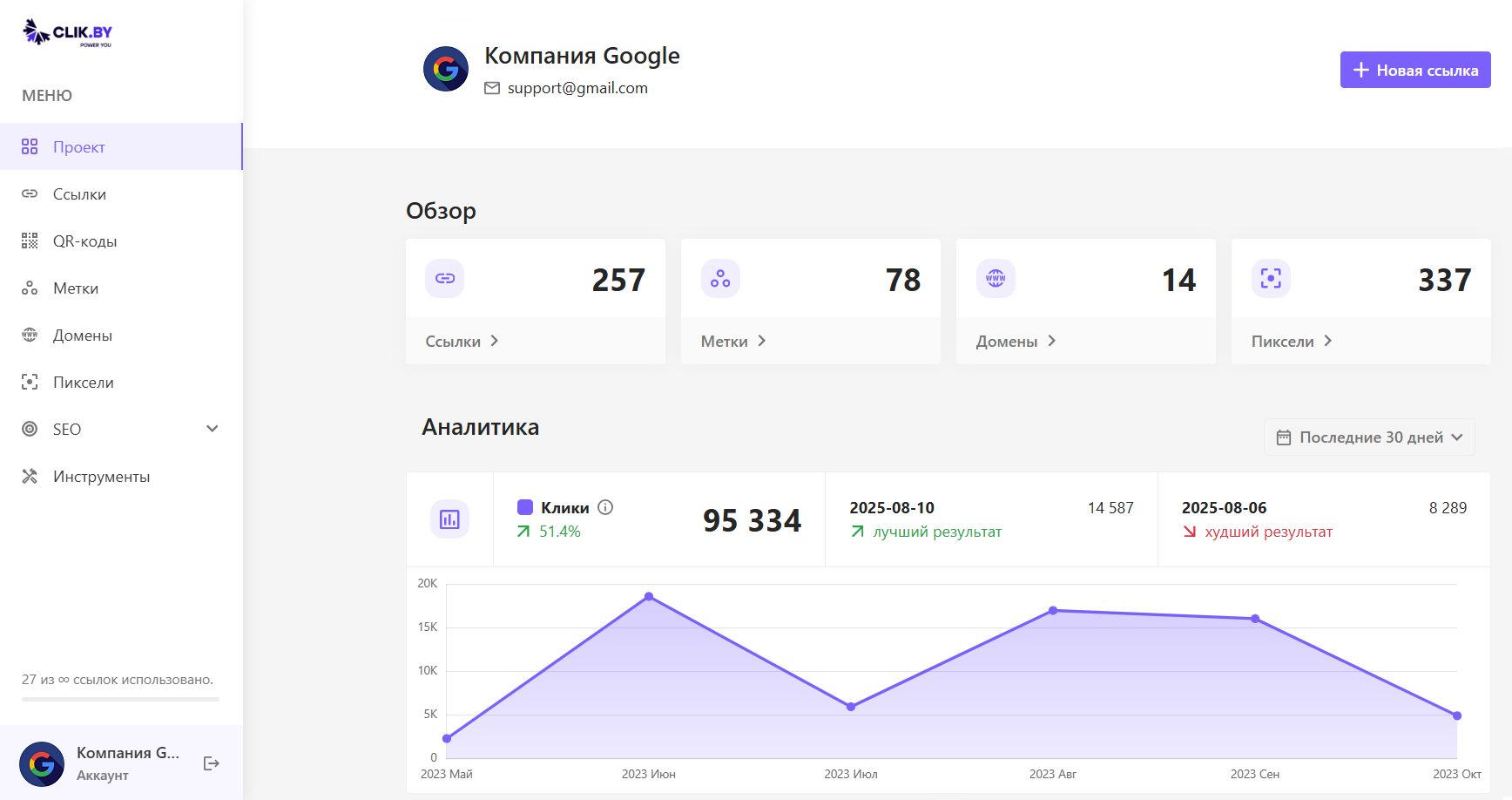
After logging in, you'll land on the main screen. This is where you'll manage all your marketing activities, track results, and see the overall picture of your campaigns' effectiveness.
Left Navigation Menu — Your Platform Map
On the left is a menu for instant navigation to key ClikBy sections:
- Project: Your command center with overall analytics.
- Links: Edit and view statistics for all your smart links.
- QR Codes: Create and manage QR codes.
- Tags: Group links by campaigns (e.g., "Summer 2025 Promotion").
- Domains: Connect your own domain for branded links.
- Pixels: Connect ClikBy with ad accounts to transfer audiences.
"Overview" Block — Your Project's Pulse
At the top of the screen are four cards — this is your operational summary of the main entities in the system:
- Links: Total number of smart links created.
- Tags: How many campaigns or groups you've created.
- Domains: Number of connected branded domains.
- Pixels: How many pixels from advertising systems are connected.
"Analytics" Block — How to Read the Heart of Your Data
This is the main graph that visually shows the effectiveness of all your links combined. Pay attention to:
- Total clicks for the selected period.
- Percentage change (dynamics) compared to the previous period.
- Days with best and worst results for quick anomaly detection.
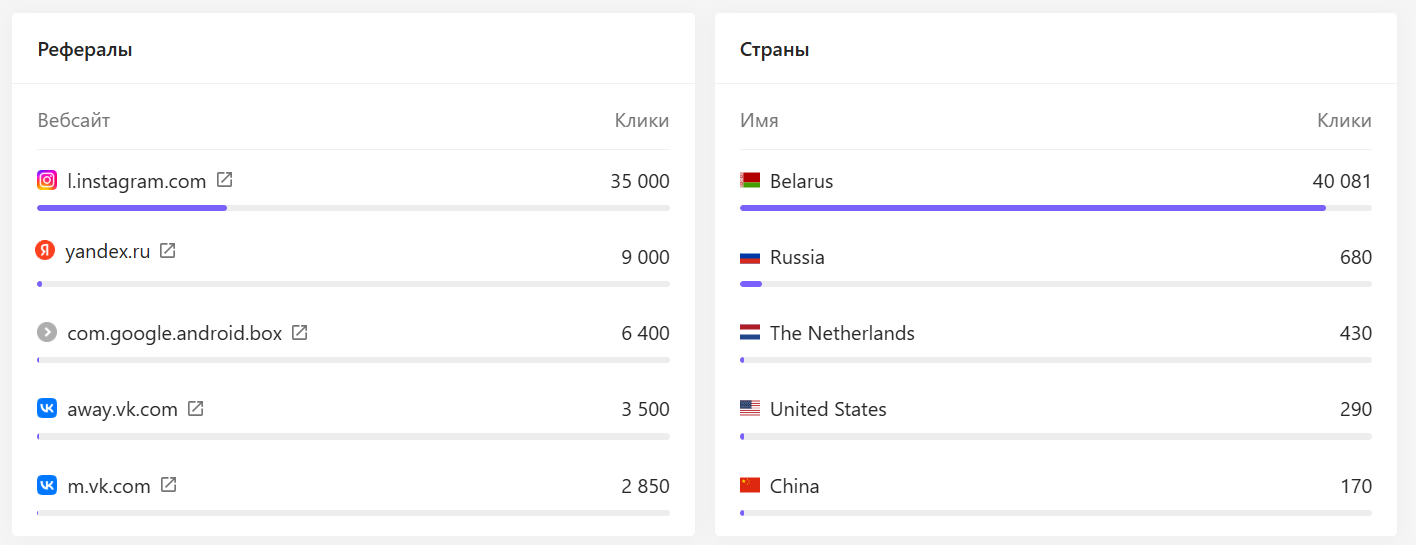
"Referrals" Block — Where Your Best Customers Come From
This block shows which websites and social networks users came from when clicking your links. Use it to:
- Optimize Budget: Invest more in channels that bring maximum traffic (e.g., Instagram if it's at the top).
- Evaluate Partners: If you work with bloggers, their platforms will appear here, and you'll see results clearly.
- Find Hidden Opportunities: Sometimes unexpected sites appear here where people share your links.
Overview of Other ClikBy Sections
You've successfully learned the basics of the command center. Now you know how to read and understand the complete picture of your marketing activity. This is the data array that our AI Selena technology analyzes to find hidden patterns and create the most converting segments for retargeting.