




Key takeaways
- The home page gives a full overview of marketing performance.
- Data on referrers, countries, and platforms help you understand the audience.
- Analysis of this data is the basis for AI Selena and conversion segments.
Thank you for choosing ClikBy. This guide will help you get started on the platform and get the most from the tools.
Basics: first steps in the system
Step 1: Sign-in
Sign in via the link: https://clik.by/login
Registration is available to legal entities and sole proprietors. You can send an application via Telegram, email, or a callback on the site.
Step 2: Command center
After sign-in you are on the home screen — from here you manage activities, see results, and the overall campaign picture.
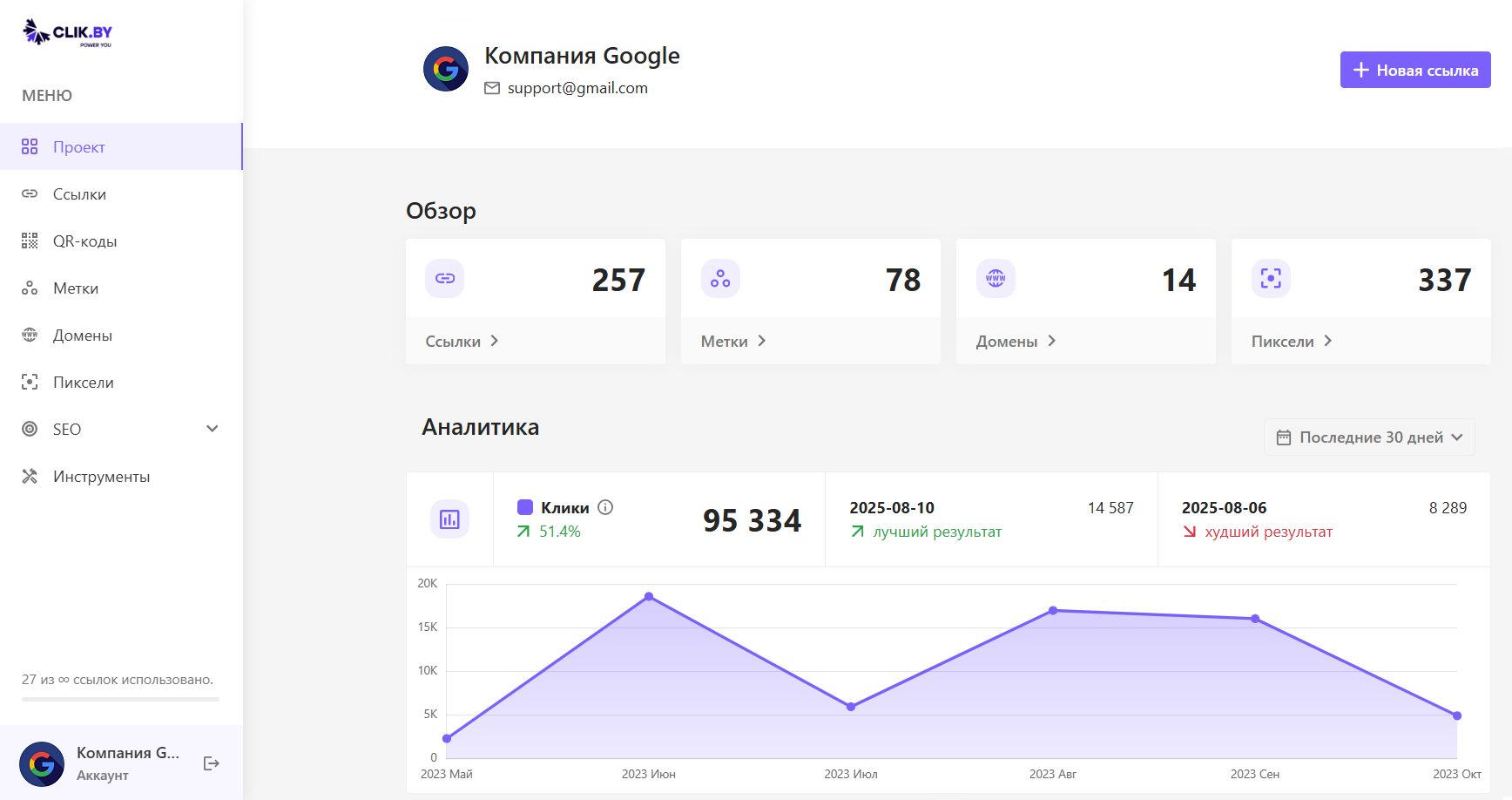
«Overview» block — the project's pulse
Four cards at the top — an operational summary:
- Ссылки — how many smart links have been created
- Метки — number of campaigns/groups
- Домены — connected branded domains
- Пиксели — advertising-system pixels
«Analytics» block — the heart of the data
The main performance chart of all links together. Look at:
- Total clicks for the period
- Change versus the previous period
- Days with the best and worst result
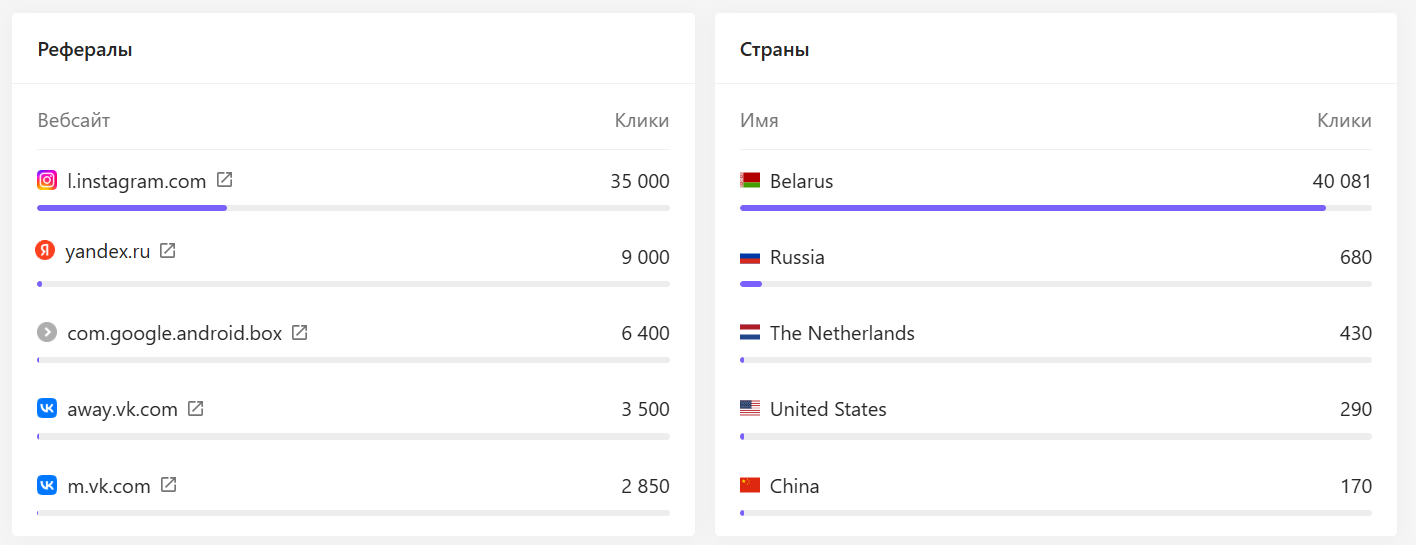
«Referrers» block — where customers come from
Sites and social networks people came from via the links:
- Budget optimization: strengthen channels with the most traffic
- Partner assessment: blogger platforms are visible in the report
- Hidden opportunities: unexpected sharing sources

Overview of other ClikBy sections
You have mastered the command-center basics. This body of data is analyzed by AI Selena, to find patterns and form conversion segments for retargeting.