




Key takeaways
- Панель: centralized work with SEO reports by domain.
- Обзор: color quality indicators.
- Grouping: reports and projects by sites.
- Integrations: a link to other ClikBy tools.
Introduction to ClikBy SEO reports
SEO reports help analyze and optimize sites: domain state, dynamics over time, decisions on improvement.
You can check any page of a domain, not only the homepage, and refresh reports regularly.
Interface structure
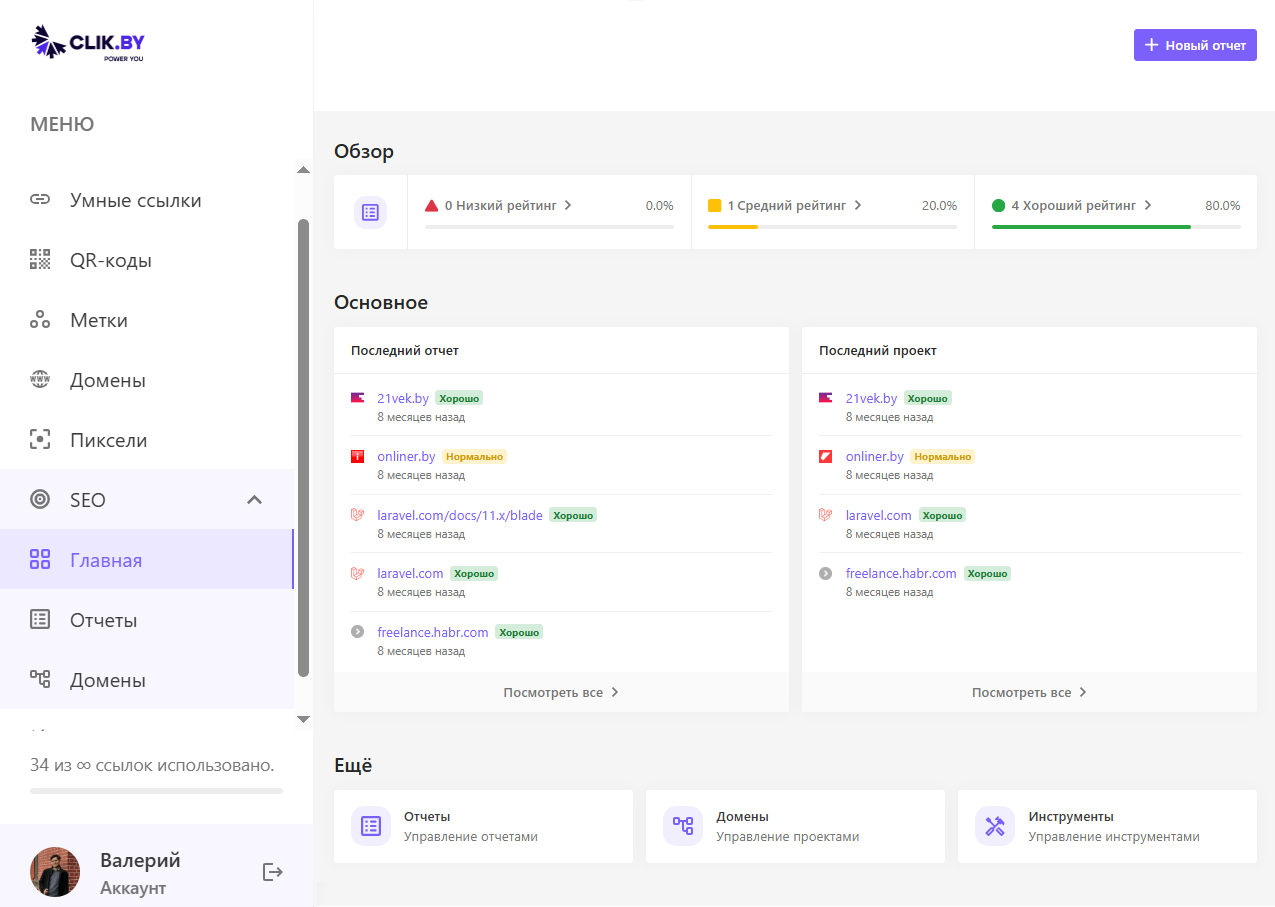
Several blocks — from the profile to extra tools.
User profile
Top block: avatar, name, email, «New report» button.
Совет: «New report» — start of analysis of any domain.
«Overview» section
- Bad: critical SEO issues
- Decent: average rating, room to improve
- Good: excellent indicators
Absolute numbers and the share of all domains are shown.
«Last report» and «Last project»
Domain icon and name, quality status, date. Projects — a quick jump to active tasks.
«Normal» status — a signal to deepen analysis and optimization.
«More» section
- Reports — management of SEO analyses
- Domains — projects
- Tools — marketer utilities
How to work with SEO reports
Creating a new report
- «New report»
- Domain URL
- Analysis parameters (depth, check types)
- Launch and wait for readiness
Время: from minutes to an hour depending on site size; the system will notify when ready.
Results analysis
- Green: minimum of follow-up work
- Orange: medium priority of improvements
- Red: critical, into work at once
Reds first, then oranges, greens — for regular monitoring.
Conclusion
- Centralized project management
- Fast assessment by color
- Prioritization by criticality
- Tracking progress over time
Recommendation: refresh reports on key domains regularly — issues show up earlier.