




Key takeaways
- Creation zone — quick links with basic and advanced settings.
- Список — filter, search, and manage all links.
- Advanced — pixels, targeting, AI Selena.
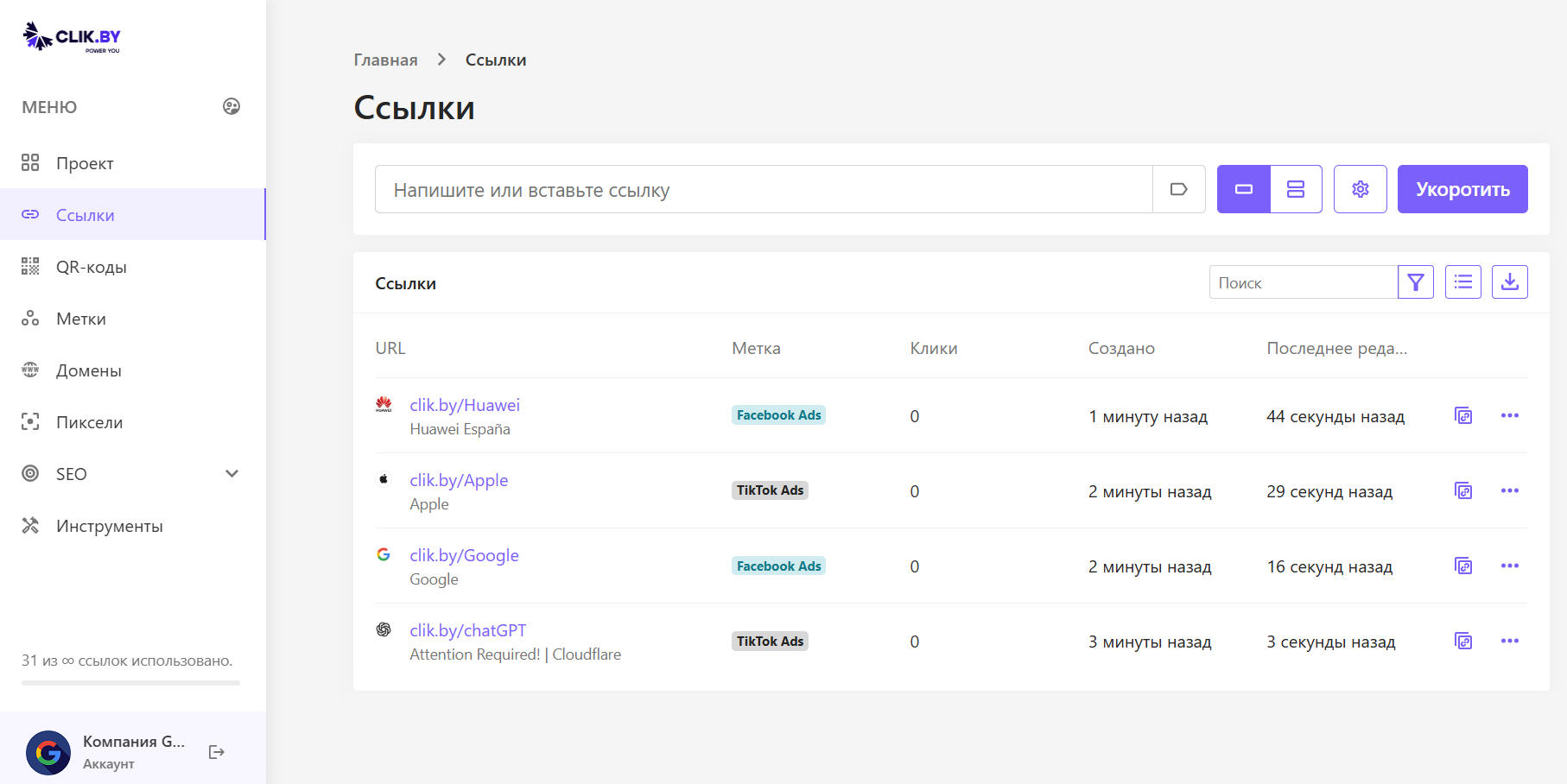
Your traffic control center
The «Links» section is ClikBy's hands (AI Selena is the brain). Here you create, organize, and manage user flows.
Two zones: creation and the link list.
Creation zone
The top bar is the start of a new link.
Main tools
- Input field: a long URL to shorten
- «Shorten»: instantly adds the link to the list
Advanced features
UTM: quick tags for the link
Bulk creation: tens/hundreds of URLs at once
Gear: pixels, filtering, AI Selena, targeting (geo/device/language/rotation), expiry, password, comment, alias
Link list — the traffic library
A table of all created links.
Management
- Search/filter: by name, tag, date
- Export: a report on links
Столбцы
- URL: short link + page title/comment
- Метка: grouping by campaigns (Facebook Ads, TikTok Ads…)
- Клики: live counter
- Created / ed.: даты
Actions
- Copy: to the clipboard
- … menu: edit, Stats, duplicate, share, delete
Warning: deleting a link breaks the linked QR; recovery is impossible.
Conclusion
The main workspace: simplicity of short links + analytics, targeting, and traffic management.