




Key takeaways
- 3 minutes to create the pixel.
- Anonymous IDs of users.
- Retargeting in Direct — the main use.
- One pixel — in any number of banners.
Yandex.Audience pixel
Collecting anonymous identifiers of banner viewers and site visitors for segments and retargeting in Direct.
Focus on collecting an audience for repeat impressions, not on conversions like Meta Pixel.
- Anonymous IDs
- Retargeting segments
- YAN and other networks
- Reach 7/30/90 days
- Integration with Direct
Creating the pixel
Separate pixels — only for different projects/sites.
1
Yandex.Audience
Open audience.yandex.ru.
2
Create a pixel
The «Pixels» tab → «Create» → a name.
3
Copy the code
For the site or banners.
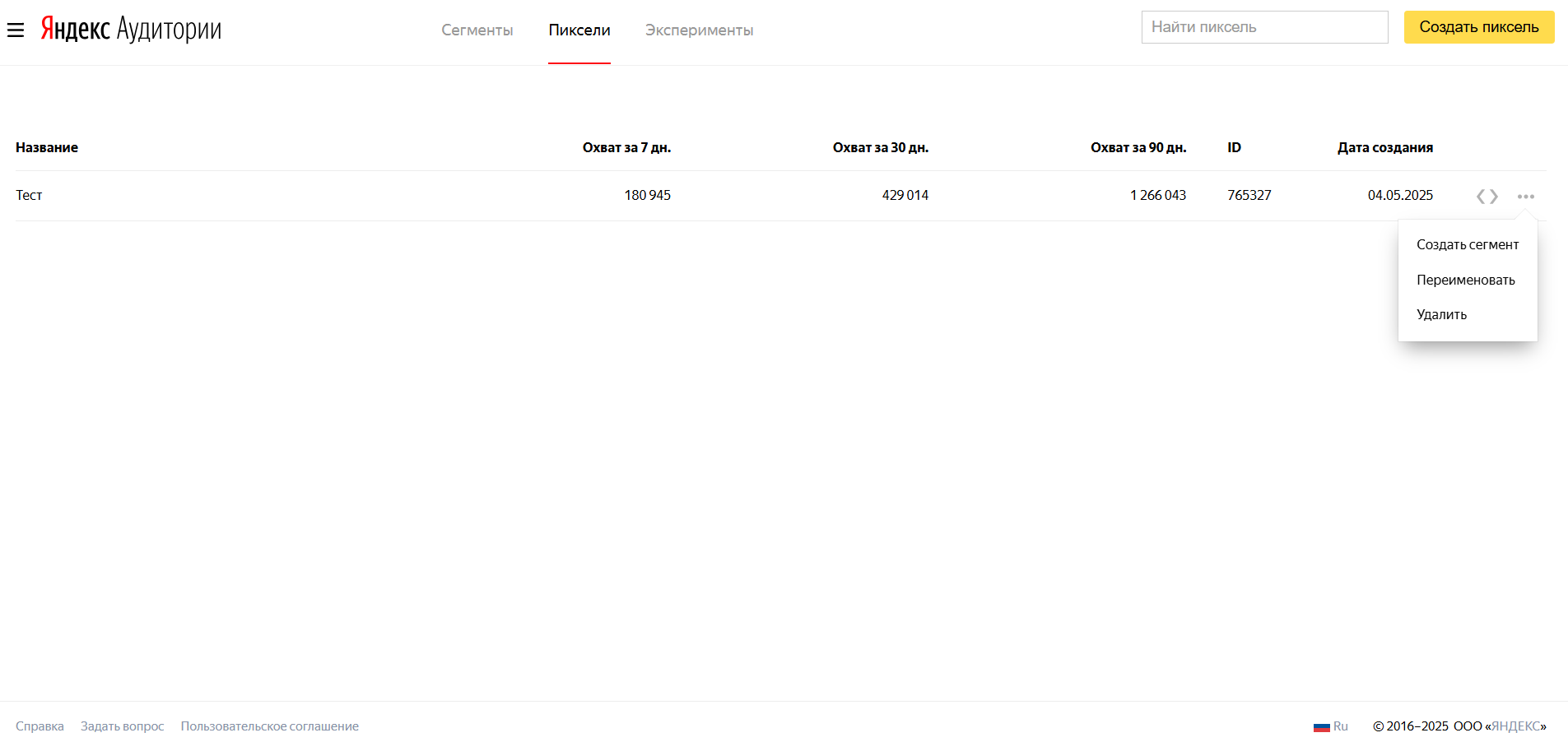
Install
Via Direct (banners)
- Copy the code from the pixel
- The ad group of a display campaign
- The «Yandex.Audience Pixel» field
In ClikBy: Pixels → Add → type Yandex.Audience → ID → Save.
Scenarios
- Retargeting visitors without a goal action
- Segmentation by behavior
- Display conditions in Direct
- Audience reach analysis
Pixel-based segments
- Site visitors
- Specific pages
- Active users
- Exclusions
1
Create a segment
Based on the pixel
2
Условия
URL, period, parameters
3
Save
It will appear in Direct in a few hours
Minimum ~1000 users for Direct; update 6–12 h.
Best practices
- Collect the audience before retargeting starts
- Monitor reach
- Inactive IDs are removed after ~30 days
- Segments by pages and periods
- См. Yandex documentation